Complete refresh of the AI algorithm with a transformer architecture —richer, more expressive harmony. Think ChatGPT for harmony, but it runs completely on your machine. Plus: optional non-chord tones for suspensions, passing notes, and more authentic voicings.
50% off for limited time — was $20
LucidHarmony
Gorgeous Infinite Harmony
AI-powered chord progressions for ambient music and film scoring. VST3, AU, and CLAP plugin for any DAW on Windows, Mac, and Linux.
Infinite Variety
Every sequence unique. Clever voicing, always configurable. Any key, tempo, note length.
Theory Built-In
Steeped in music theory, so you don't have to be. From drifting ambient to choral to cinematic.
Fair & Forever
50% off right now — just $10. No-risk 30-day guarantee. Free updates forever.
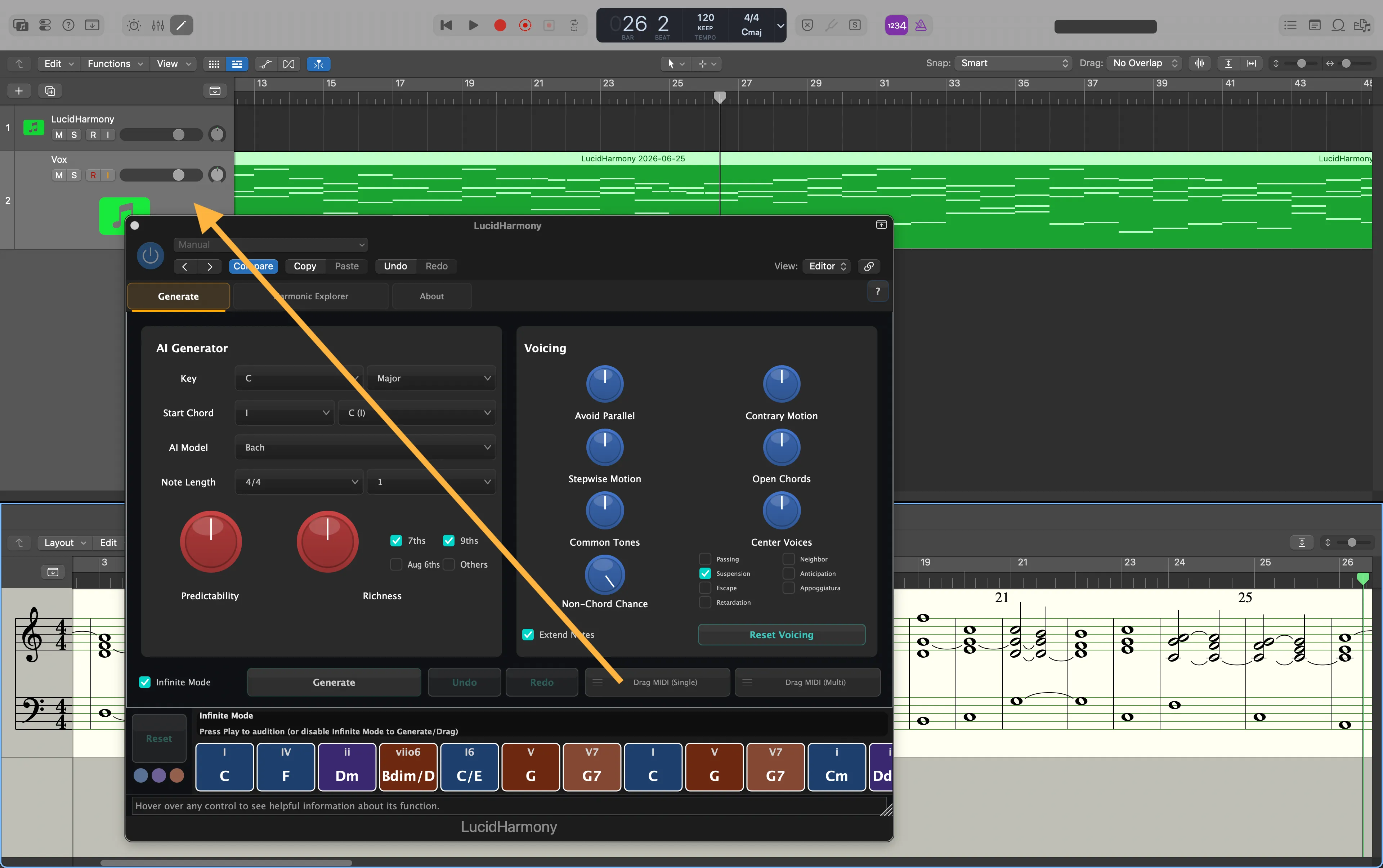
Click Generate for unique harmony, drag MIDI, hit play. Adjust key, richness, voicing as necessary. It's that easy.
🔥 50% off — was $20 · 🛡️ 30-day money-back guarantee
"This is amazing. I use it every day, sometimes just for fun. I can create compelling ambient tracks super easily."
— Verified purchase
Ambient Producer
"Beautiful chord progressions perfect for ambient music are easily created simply by playing them slowly. It's an ultimate tool that lets even beginners intuitively learn the magic of harmony, giving you the inspiring experience of collaborating across time with history's greatest musicians!"
— だいすけ
Music Student
"I saw this on Apple. I definitely see it's potential. So glad to see it offered for Windows. Thank you.."
— Verified purchase
Sound Designer
See It In Action
🎹 Drag MIDI straight from the plugin · 🌊 Pads, bass & windchimes · ⏱️ 60 BPM · ♾️ Infinite mode · 🚫 No MIDI controller · ✋ Zero hand editing
In 30 seconds
Quick overview of the core workflow
In 5 minutes
Full walkthrough with voicing and export
Three steps to beautiful harmony
1. Generate
Pick an AI model, starting chord and key. Click "Generate". Get a random, harmonically-interesting story with any number of chords.
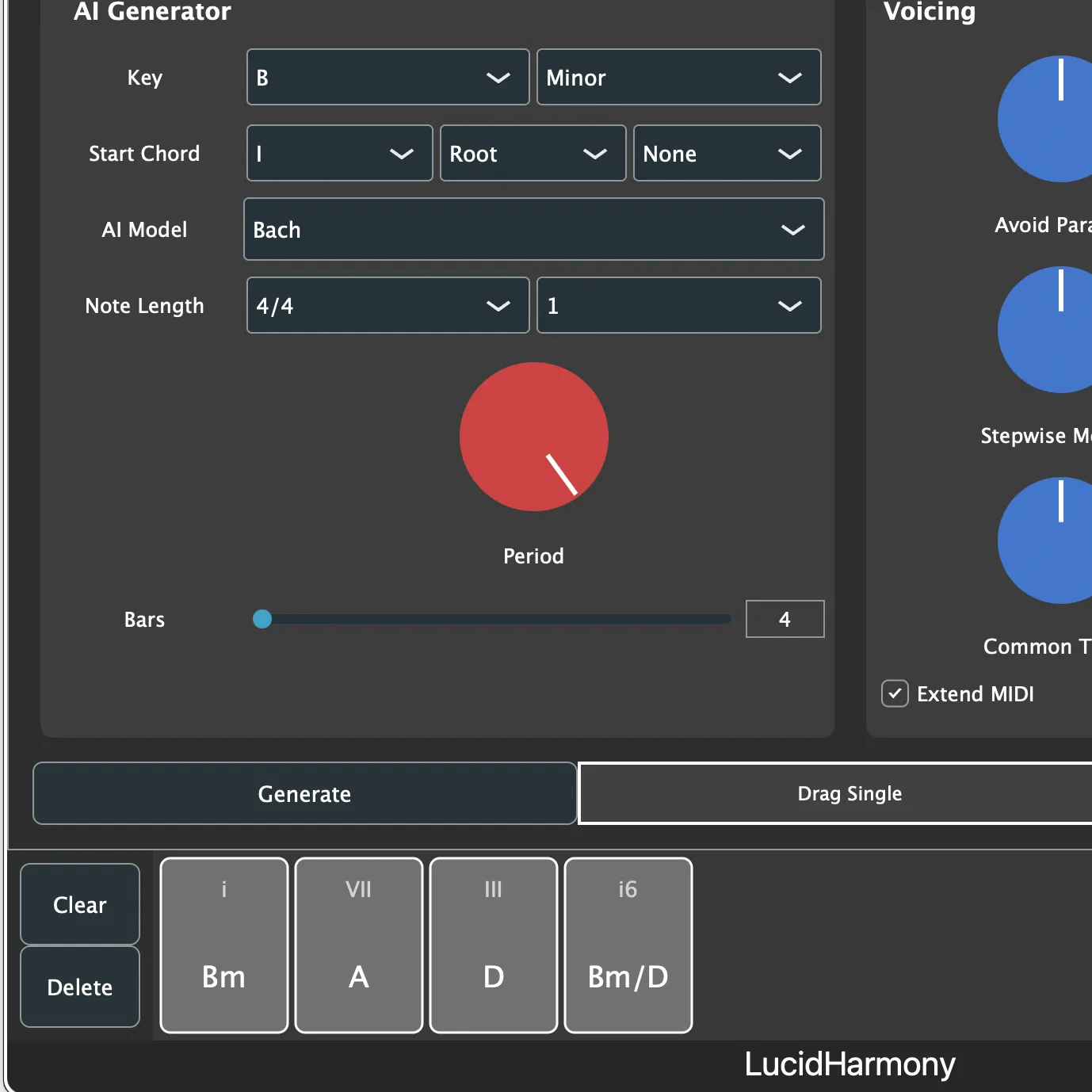
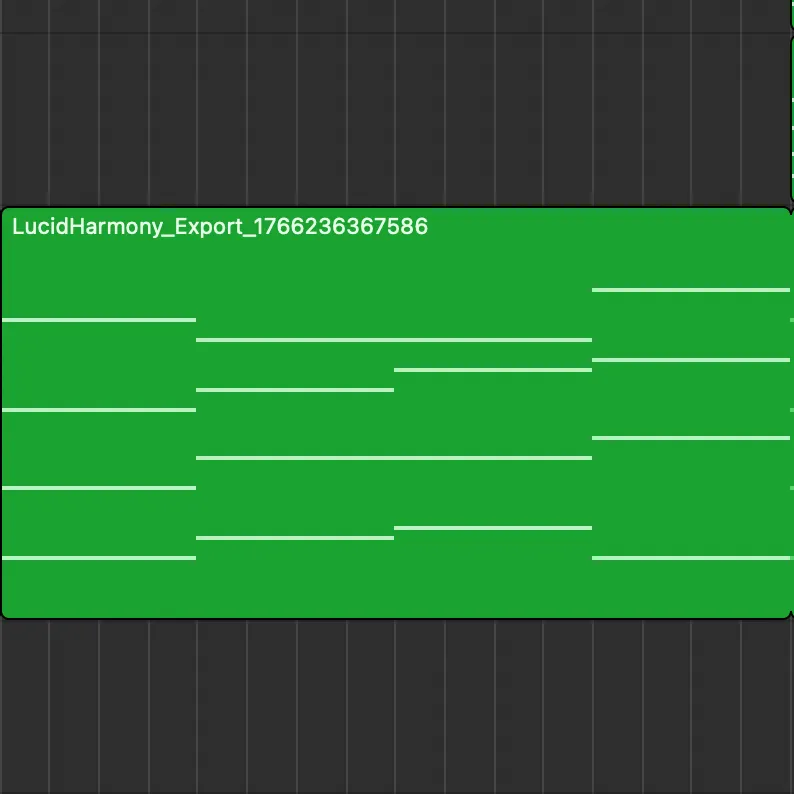
2. Drag MIDI
Drop it into Logic. Everything is beautifully voiced, including that stepwise bass line you've always wanted.
3. Any Instrument!
Assign your favorite instrument for lush pads, choir, or ear candy. Here is a quick sketch from one generated progression.
Key Features
50% Off — Limited Time
$10 today (regular price $20). 30-day money-back guarantee and free lifetime updates included.
Trained on 3,700+ Compositions
We trained a powerful AI model on over 290,000 chords and sequences, expertly extracted from more than 18MB of MIDI data.
Intelligent Voice Leading
Automatic voice leading that follows traditional counterpoint rules, or explores modern harmonic possibilities with customizable parameters.
Instant MIDI Export
Drag and drop harmonic sequences into your DAW as single or multi-track MIDI, with configurable voice separation.
Intuitive Harmony Explorer
Edit progressions with scored alternatives, re-voicing, and parameter adjustments. Regenerate and revoice as many times as you like.
Flexible & Customizable
Fine-tune generation with controls for creativity, voicing preferences, parallel intervals, harmonic styles, key, mode, and more.
How does LucidHarmony compare?
See our survey of harmonic generator plugins — Scaler, Captain Chords, ChordJam, and more — with an objective feature and pricing breakdown.
Read the plugin comparison →How It Works
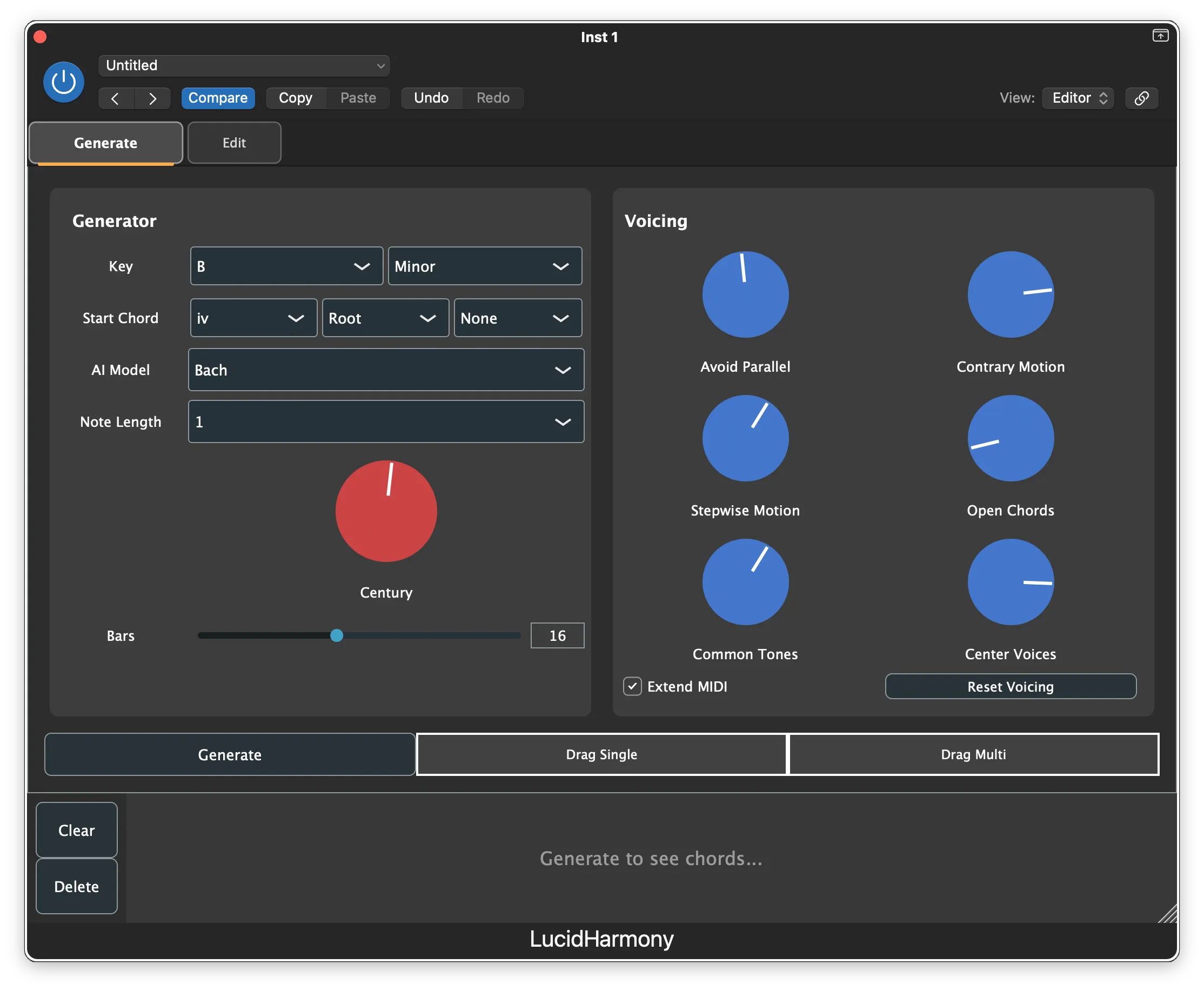
1. Set Your Parameters
Choose your key, mode, and harmonic style. Adjust creativity and voicing preferences to taste.
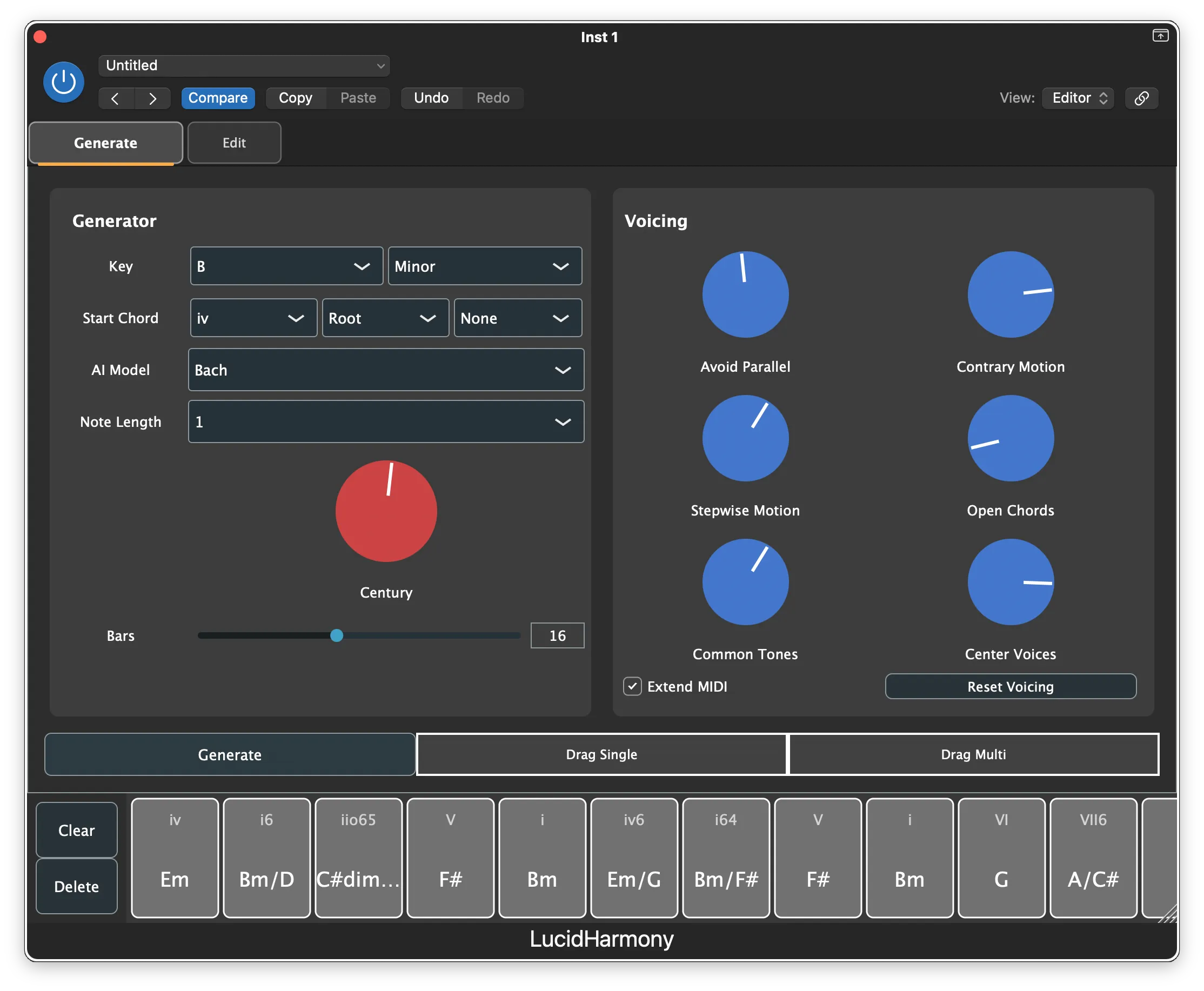
2. Generate Harmonies
Click Generate to create AI-powered chord progressions. Each generation is unique and musically coherent.
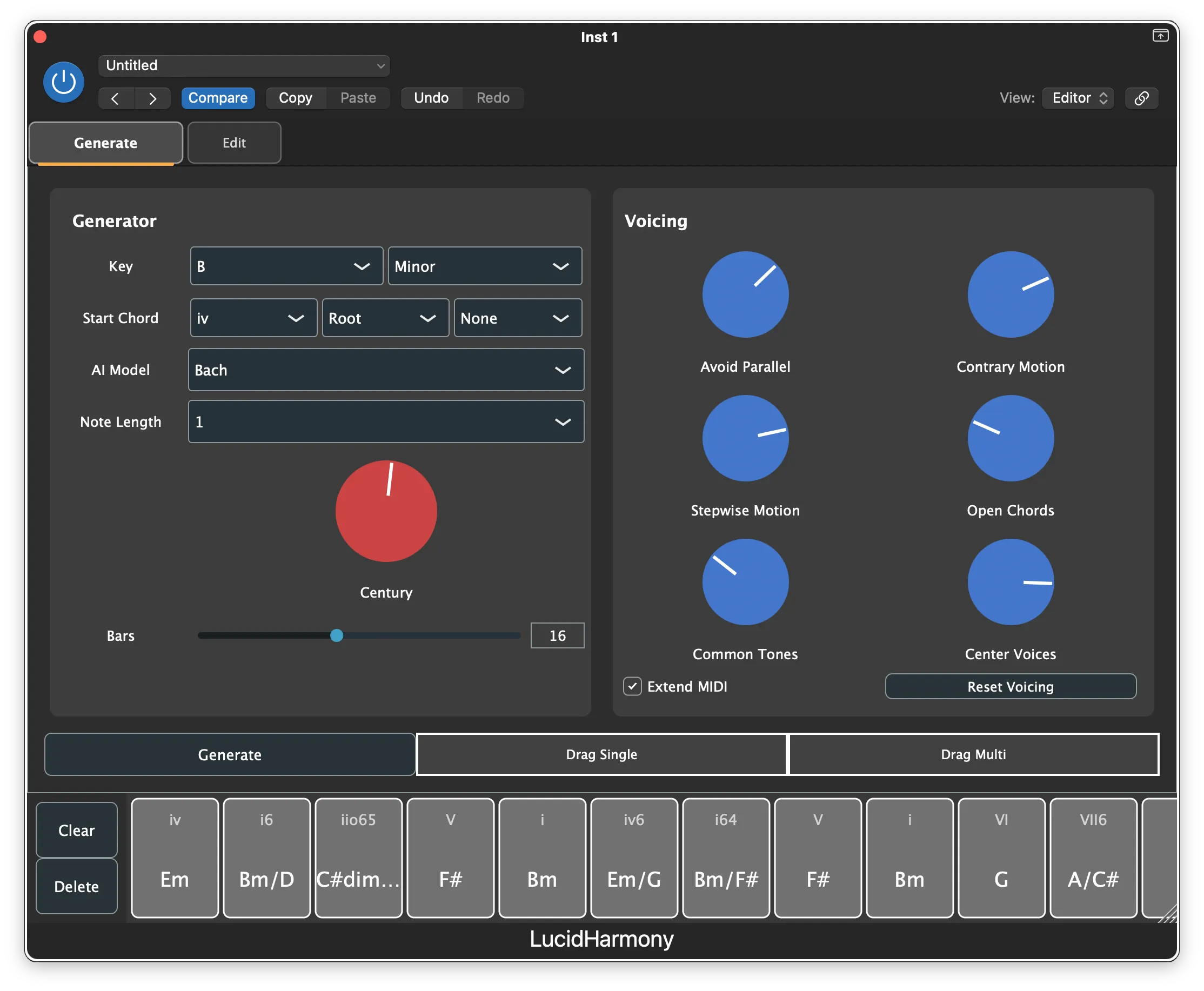
3. Refine & Voice
Adjust voicing parameters to explore different voice leading options. Build sequences using the intuitive harmony explorer.
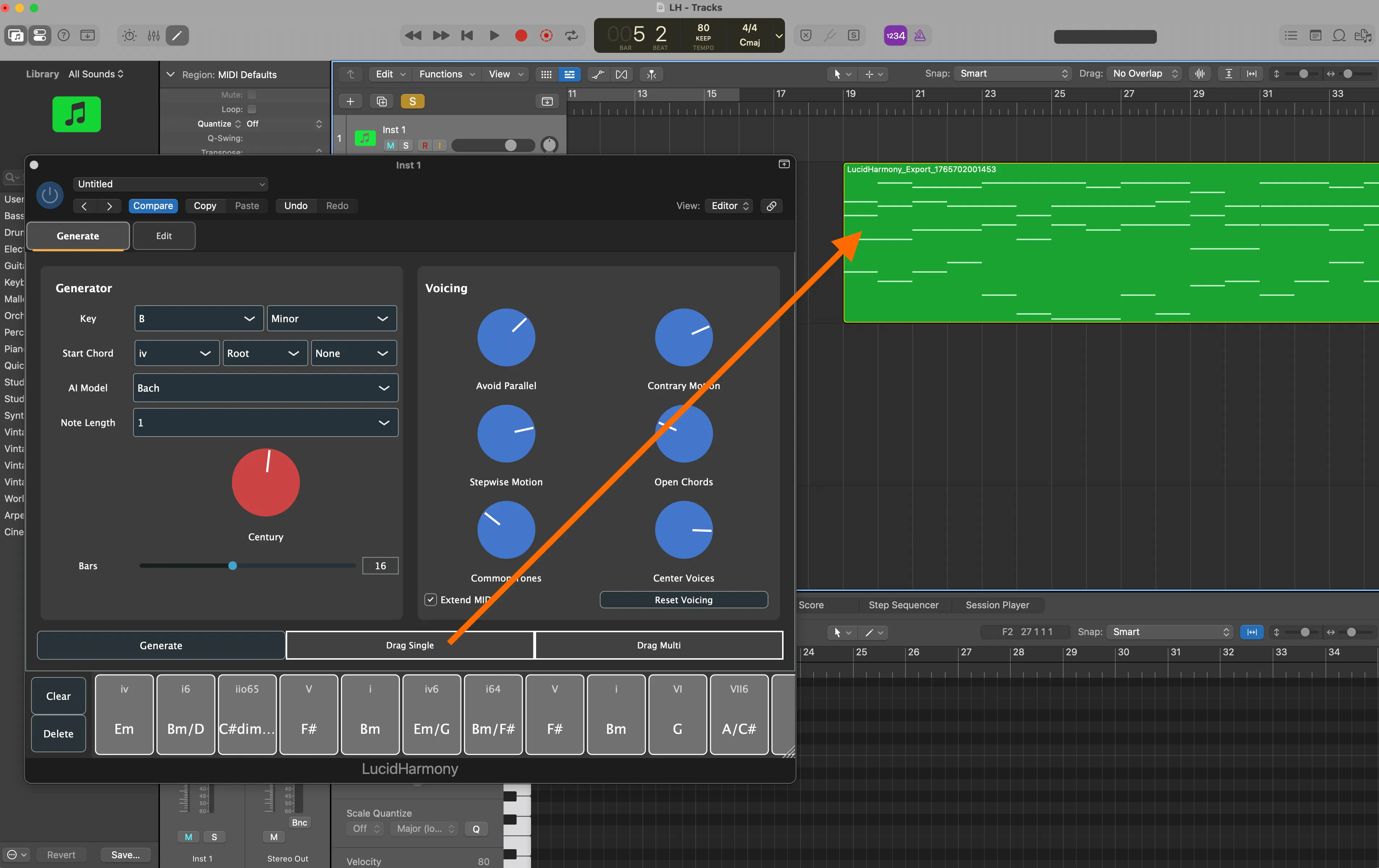
4. Export to Your DAW
Drag the MIDI directly into your project. Single or multi-track export with perfect voice separation.
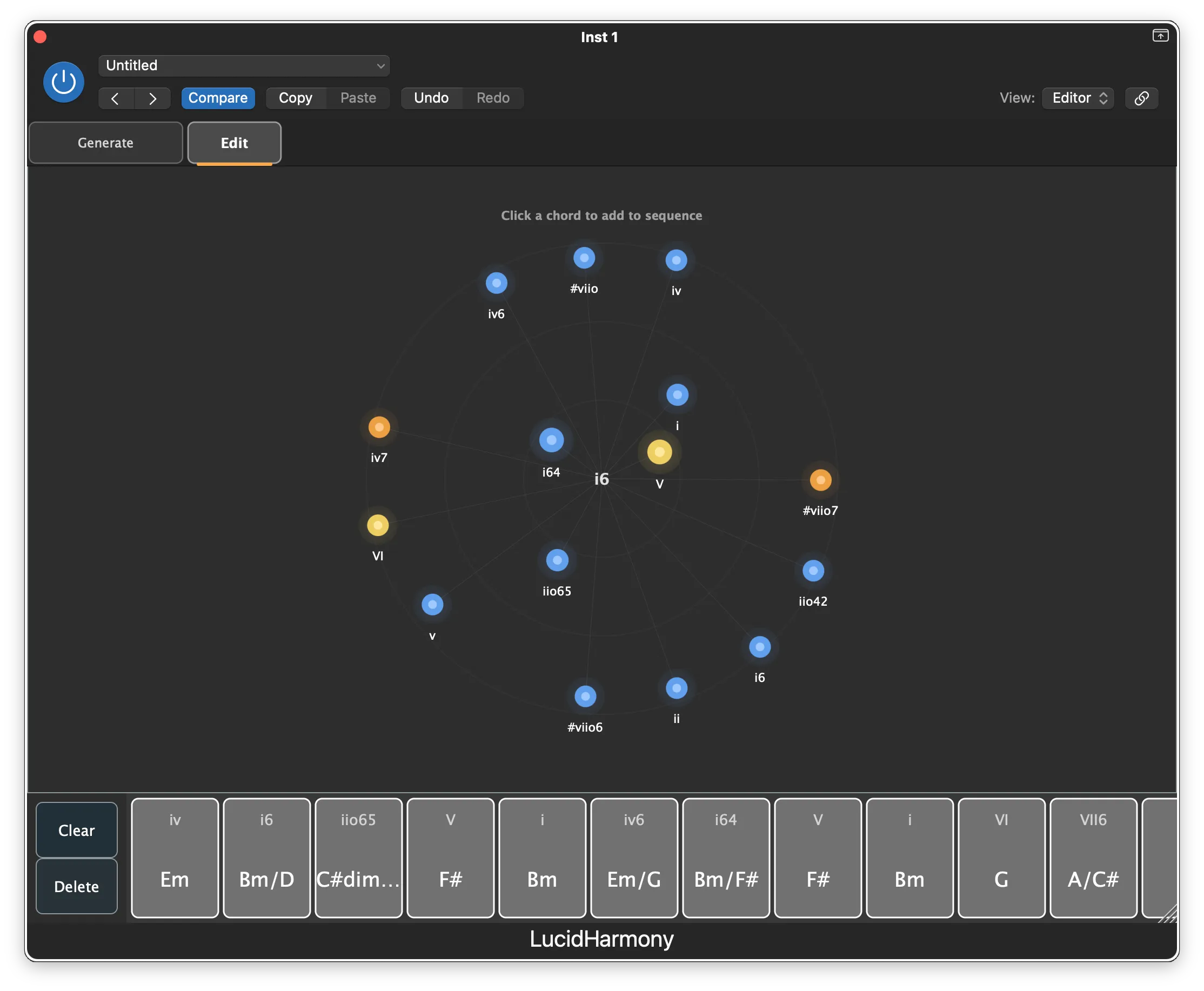
5. Become a Harmonic Wizard
Drop into Edit Mode to create your own sequences interactively, guided by the same AI used by the generator.
Listen to more samples
All samples in this album were created using LucidHarmony. MIDI was exported unedited into DAW tracks. No keyboards, no editing, no tweaking.
The instruments are Omnisphere 3, Pigments 7, and Ashlight 2 in Kontakt 8 by Native Instruments. All this in Logic Pro, but works in any DAW.
Ready to Transform Your Workflow?
Join musicians and composers using LucidHarmony to create beautiful, sophisticated harmonies in seconds.
🔥 50% off — was $20 · 🛡️ 30-day money-back guarantee